3.1.2.7. U-Boot Falcon Mode
U-Boot’s falcon mode on AM62Dx bypasses the A-core SPL and U-Boot stage, which allows for booting straight to Linux kernel after OP-TEE and ATF.
Normal boot flow:
R5 SPL -> ATF -> OP-TEE -> Cortex-A SPL -> U-Boot -> Linux
With falcon mode:
R5 SPL -> ATF -> OP-TEE -> Linux
The following steps show how to build R5 SPL with falcon mode support:
3.1.2.7.1. Extra Configuration
3.1.2.7.1.1. OSPI boot:
This section is not applicable for this platform.
3.1.2.7.1.2. eMMC Boot:
In eMMC boot mode, the tiboot3.bin file should be flashed to the
hardware boot partition whereas tifalcon.bin and the fitImage
are read from the root filesystem inside UDA. Use the U-Boot commands below
to set the correct boot partition and write tiboot3.bin to the correct
offset.
=> # Set boot0 as the boot partition
=> mmc partconf 0 1 1 1
=> mmc bootbus 0 2 0 0
=> # Flash tiboot3.bin to boot0
=> mmc dev 0 1
=> fatload mmc 1 ${loadaddr} tiboot3.bin
=> mmc write ${loadaddr} 0x0 0x400
For more information check: How to flash eMMC and boot with eMMC Boot.
3.1.2.7.2. Boot time comparisons:
Removing A-core SPL and U-Boot from the boot process leads to ~60% reduction in time to kernel. Saving about 1-2 seconds during boot depending on the platform.
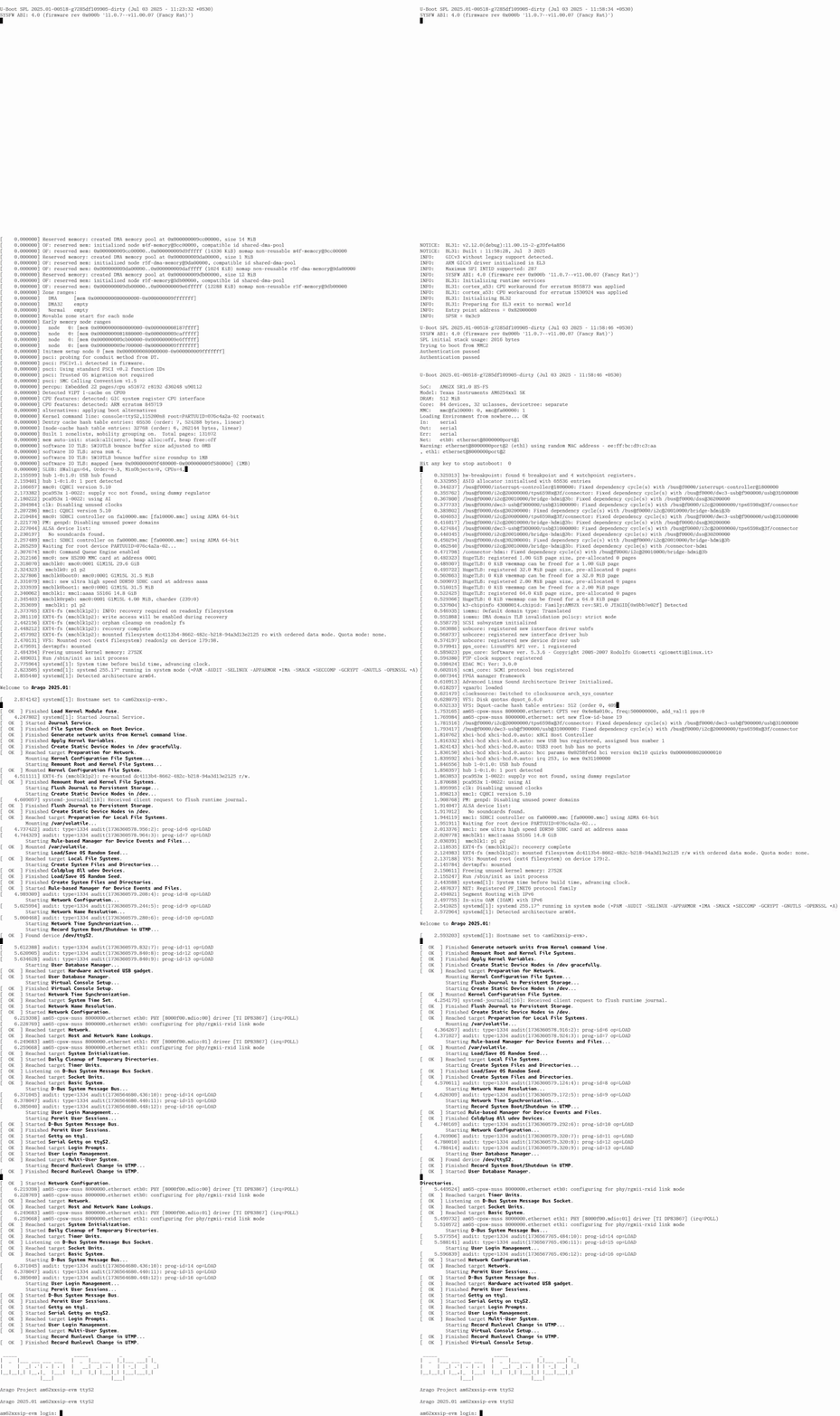
Fig. 3.1 Falcon Mode (Left) vs Regular Boot (Right)